

Entity and event nodes
Most board nodes hold their own content. Two special node types instead connect a board to the rest of your world, so a board can reference canonical people, places, and events rather than duplicating them.
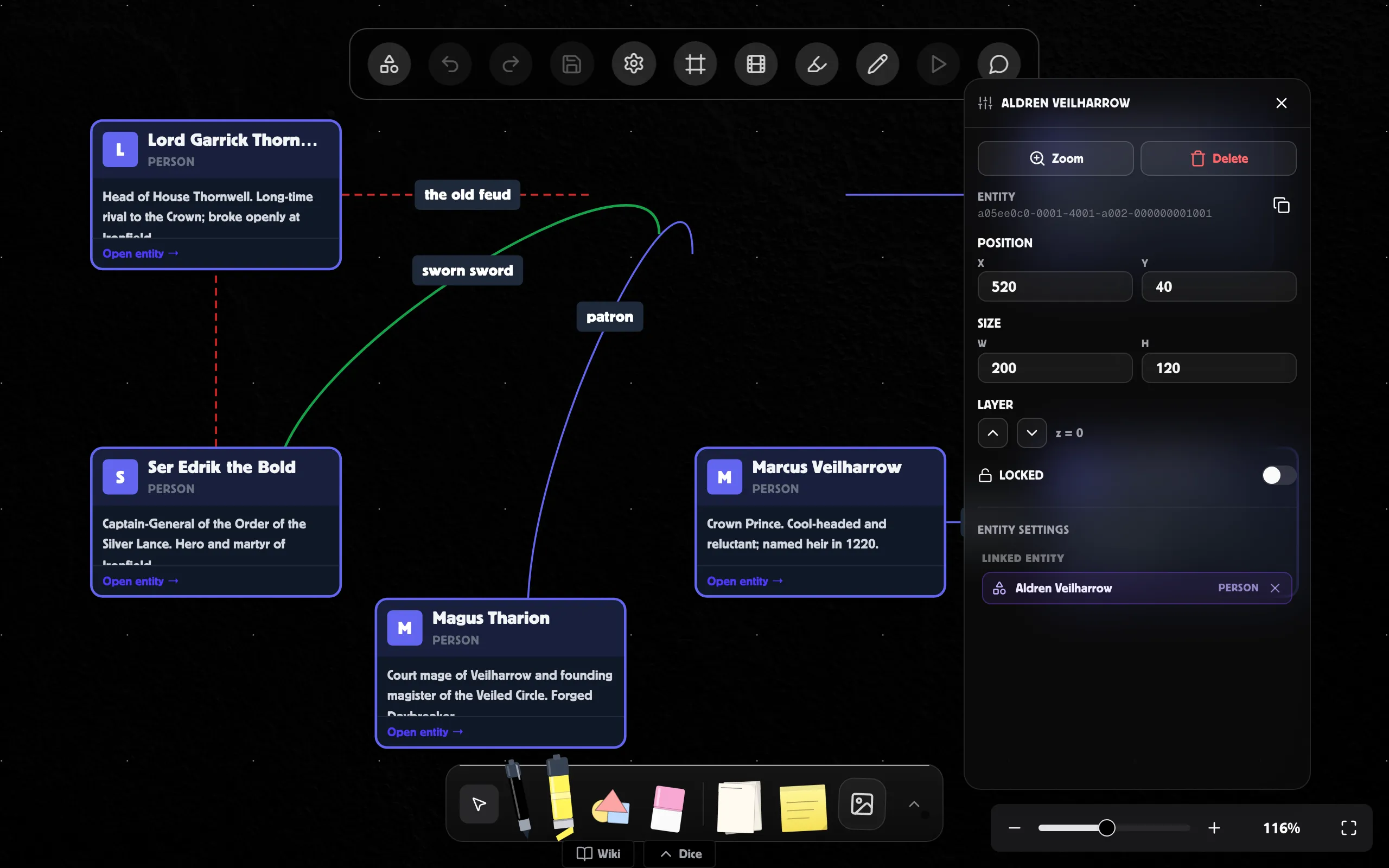
Entity nodes
Section titled “Entity nodes”An entity node links to a canonical entity in your world — a character, location, faction, or anything else in your world’s entity list — and shows a live summary of it (name, icon, and colour) rather than a static copy.
To link one:
- Add an Entity node from the Library.
- Select it and open the Inspector.
- Use the Linked entity picker to choose an entity from the world.
Because it renders live, updating the entity elsewhere updates the node. The link is two-way: the board shows up in that entity’s “appears on” list.
Event nodes
Section titled “Event nodes”An event node represents a moment in time — a quest step, a historical beat, a session event. It carries the same fields as a world-timeline event, so a board built from them can feed the timeline.
Select an event node and use the Inspector to set its title, type, date, certainty, precision, and importance. Event nodes are the default building block on Quest Flow and Timeline board types.
Related
Section titled “Related”- Creating and editing boards
- Embed nodes — live previews of scenes, maps, and wiki graphs
- Boards overview