

Generate a map with the Map Foundry
Don’t have a map yet? The Map Foundry generates painted fantasy maps — coastlines, mountains, rivers, roads, settlements, kingdoms — and saves the result straight into a new scene in your library.
You can reach it two ways:
- From the Create New Scene dialog — the Map Foundry link under the map upload.
- Directly, at Scenes → Map Foundry.
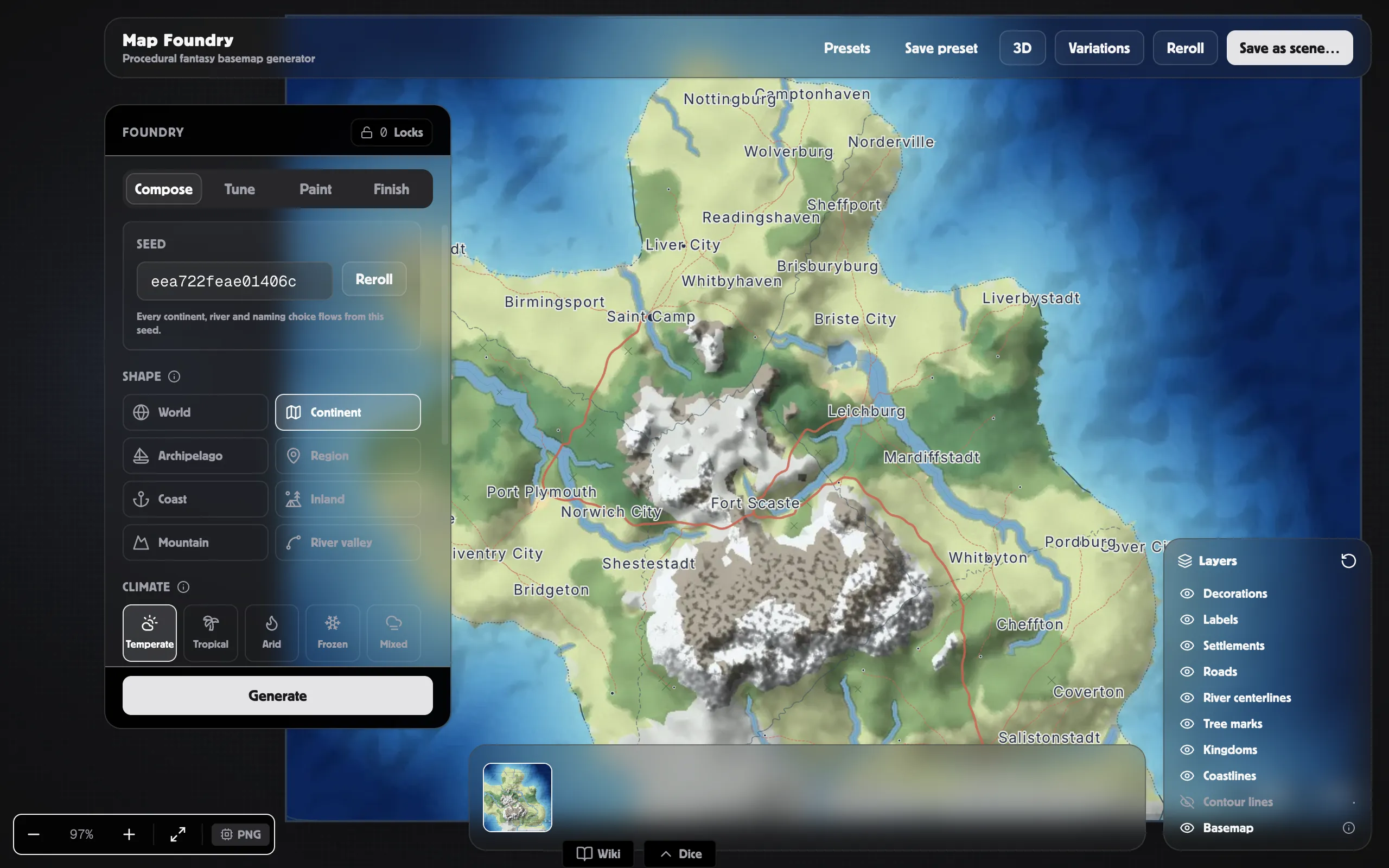
Generate and save
Section titled “Generate and save”-
Open the Map Foundry. A map generates on its own as soon as the page loads — no button to hunt for.
-
Shape it to taste: pick the map kind and art style, roll a new seed for a fresh layout, and adjust the terrain sliders. Add finishing touches like a compass rose, frame, scale bar, and title.
-
Click Save as scene… in the top right.
-
Optionally pick a world to attach the scene to, and give the scene a name (the default is “Generated map”).
-
Choose which generated features become editable map objects — see below.
-
Click Save scene. The save takes a few moments while the full-size map is produced, then your new scene opens.
What carries over
Section titled “What carries over”The saved scene is a World Map scene with the generated artwork as its map. On top of that, the save dialog lets you convert generated features into objects you can edit afterwards:
- Rivers and roads → paths you can adjust and restyle.
- Settlements and landmarks → pins you can rename, move, or link to your wiki.
- Forests, mountains, and kingdoms → regions with editable borders.
- Labels → text you can reword and restyle.
Leave a toggle off and that feature stays painted into the artwork instead. For the full breakdown — including creating wiki stubs for settlements — see Save as scene.
Common hiccups
Section titled “Common hiccups”- “Generate a preview first” — the map hadn’t finished generating when you hit save. Wait for the preview to appear, then try again.
- Saving feels slow — a full-size map plus feature conversion takes several seconds; the dialog shows which step it’s on.
- More fixes: Map Foundry troubleshooting.
Related
Section titled “Related”- Creating a scene — the standard create flow.
- Map Foundry — the full guide to every tool and slider.
- Save as scene — conversion toggles in depth.