

The Chronicle tab
The Chronicle tab is the readable view — designed to be the
player-facing “what happened” page, with a one-click GM/player toggle
so you can preview exactly what your players see.
What you see
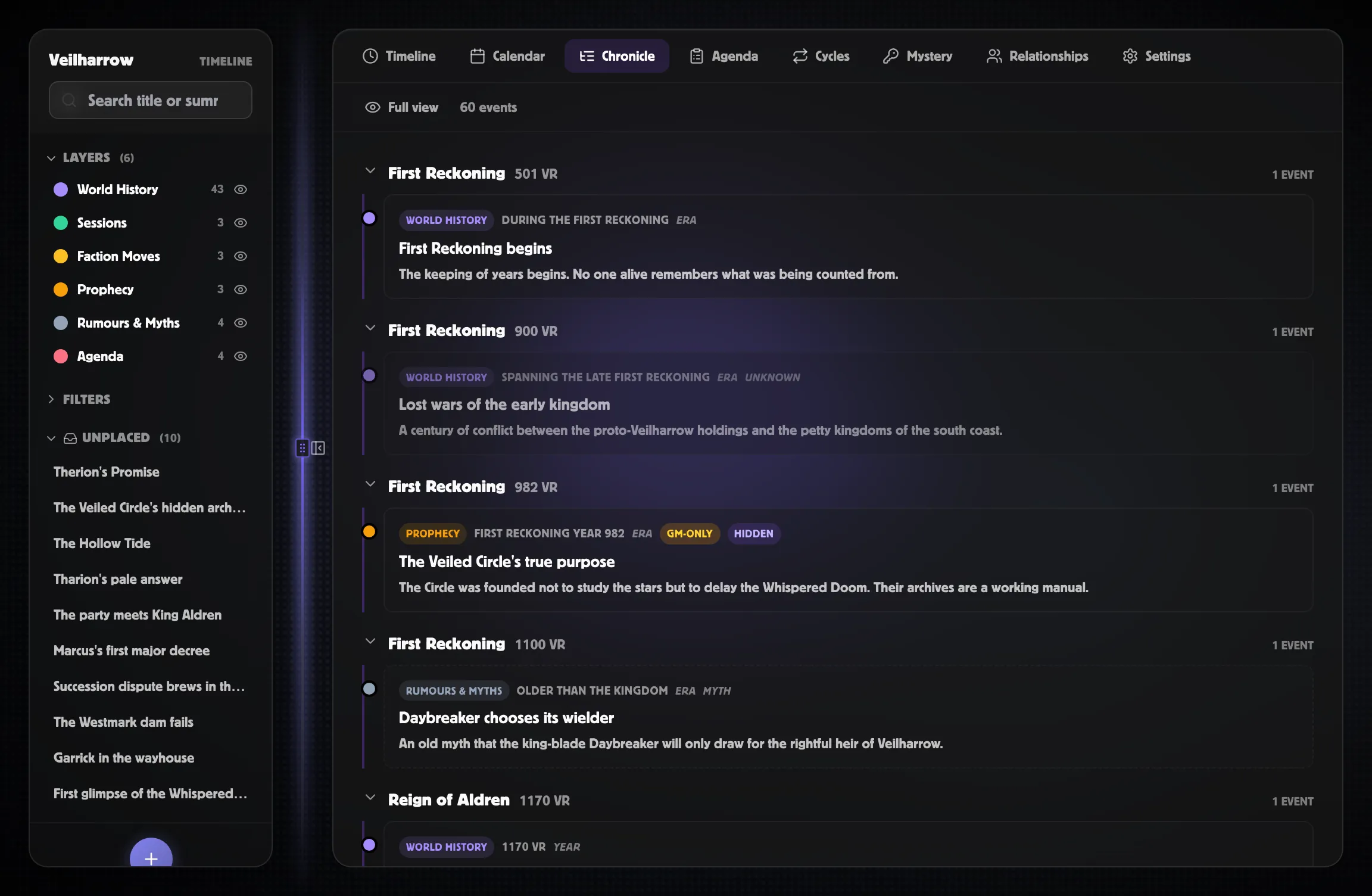
Section titled “What you see”- Era and year headings — collapsible. Click to fold a whole age out of view.
- Session groups — events tagged to a session cluster under that session’s heading, with the session’s player and GM recap pinned to the top of the group.
- Event cards — title, date, layer chip, summary or Player summary, certainty badge, “Discovered in Session N” footer if applicable.
Cards are styled by their certainty: rumours and myths get dashed borders, prophecies glow amber, false events get a strikethrough, and unknowns fade.
The Player-safe toggle
Section titled “The Player-safe toggle”The toggle in the top-left flips the Chronicle between Full view (the default — GM gets everything) and Player-safe.
When player-safe is on:
- GM only events are hidden entirely.
- The GM recap on session groups is hidden — only the player recap shows.
- GM notes on each event are hidden.
- Events set to Hidden or Foreshadowed are hidden or redacted to a placeholder (“Something happened here…”).
Player-safe is also what the Markdown export → Player-safe button uses. The preview and the export draw on the same player-safe data, so what you see when previewing is exactly what your players see when sharing.
Foreshadowed and partial reveals
Section titled “Foreshadowed and partial reveals”An event’s reveal status controls how it appears even when its visibility lets players see it:
- Revealed — full content visible.
- Partially revealed — your Player summary stands in for the full summary if you’ve written one; otherwise the full summary shows.
- Foreshadowed — the event appears as a ghost-outlined placeholder (“Something happened here…”) in player-safe mode. GMs see the full content with a “Foreshadowed” badge.
- Hidden — invisible to players regardless of visibility (rare; usually you’d just leave the event at GM only instead).
The combination of visibility + reveal status lets you record foreshadowing months ahead and reveal it when the players actually discover it.
Use it for “Previously on…”
Section titled “Use it for “Previously on…””The classic GM workflow:
- Mark each event you want to hand back to players as Revealed and set the session it was discovered in. The Reveal in session… button on the Inspector does this in one click.
- Switch the Chronicle to Player-safe.
- Use the Export → Player-safe Markdown dropdown for an offline recap document.
The Chronicle’s session groups will read as “Session 7 → Session 8 → Session 9” with the events the players actually discovered in each.
Related
Section titled “Related”- The reveal workflow
- Visibility & reveal — how visibility and reveal work together
- Sessions and recaps — where the recap text comes from
- Markdown export — same player-safe data, downloadable