

Painting terrain on a battle map's floors
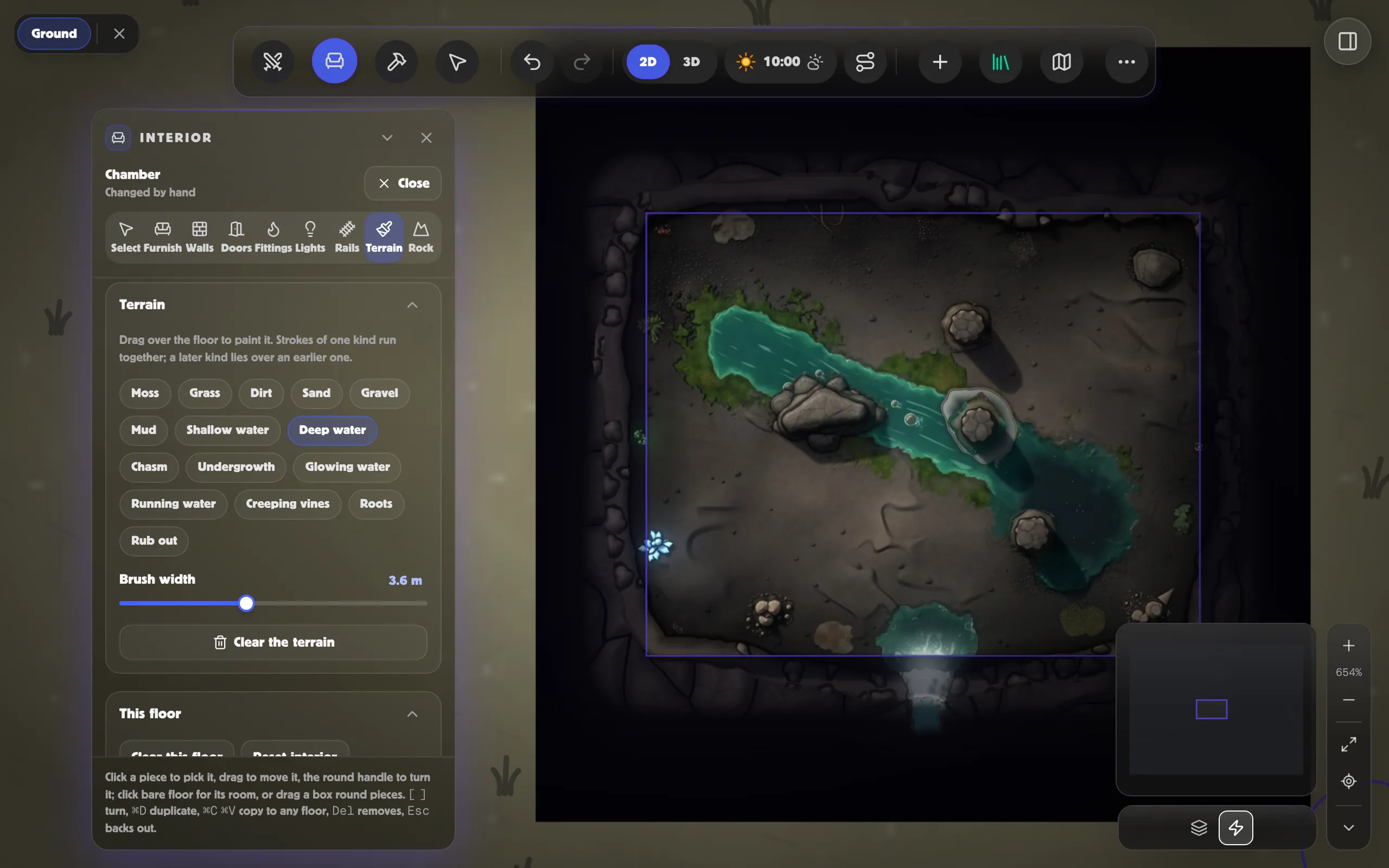
The Brush’s Ground paints the ground over a floor: a stream with mossy banks through a cavern, mud and puddles in a mine, sand drifted against a wall, a flooded cellar, a chasm splitting a hall. It works on the floors of any building on a battle map, and on a cave’s or a dungeon’s.
Painting
Section titled “Painting”- In the battle map editor, take the building’s or the chamber’s roof off with its round button, and pick the floor you want from its strip.
- Click Brush (or press P), then Ground, and choose moss, grass, dirt, sand, gravel, mud, undergrowth, creeping vines, roots, shallow water, deep water, running water, glowing water or a chasm.
- Set the Width, then drag over the floor. Painted outside the building, the same brush paints the ground of the battle map round it.
Strokes of one kind run together into one patch, with ragged, natural edges. A kind you paint later lies over one you painted earlier, so paint moss first and then water down the middle of it for a stream with mossy banks, or a ring of shallow water and then deep water inside it for a pool. Brush undergrowth along the foot of the rock for ferns and leaves at its edge. Running water, creeping vines and roots follow the way you drag them, so paint a stream from its source down. Vines painted across a rough cave wall climb it, hanging over its ledges. Glowing water lights the cave round it, at the table too. Terrain stops at the walls and lies under the furniture and rails, which stand on it.
Rubbing out
Section titled “Rubbing out”Choose Erase at the top of the Ground card, or hold Alt as you drag, and drag across a stroke to take it away. Erase in the toolbar rubs out a floor’s paint too, with Ground ticked under Painted. Undo takes back the last stroke.
At the table
Section titled “At the table”Terrain doesn’t block sight. It slows tokens as it would: mud, shallow, running and glowing water, undergrowth, vines and roots are hard going, deep water is swum (hard going too), and a chasm is no way through. To change what a kind does, choose its At the table on the Ground card before you paint: see Walls, lines, areas and the brush.