

Bulk operations
When you want to re-tag every “rumour” event with #cleanup, move
twenty events into a new layer, or archive a dead arc — you don’t
need to click each one. Multi-select.
Selecting events
Section titled “Selecting events”On the Chronicle and Agenda tabs, Shift-click (or ⌘ / Ctrl-click) on an event row to add it to the current selection. Click again to remove it. A normal click still opens the inspector.
Selected rows render with a violet ring. The selection survives tab
switches — you can shift-click events on Chronicle, switch to
Agenda, shift-click more there, then operate on the combined set.
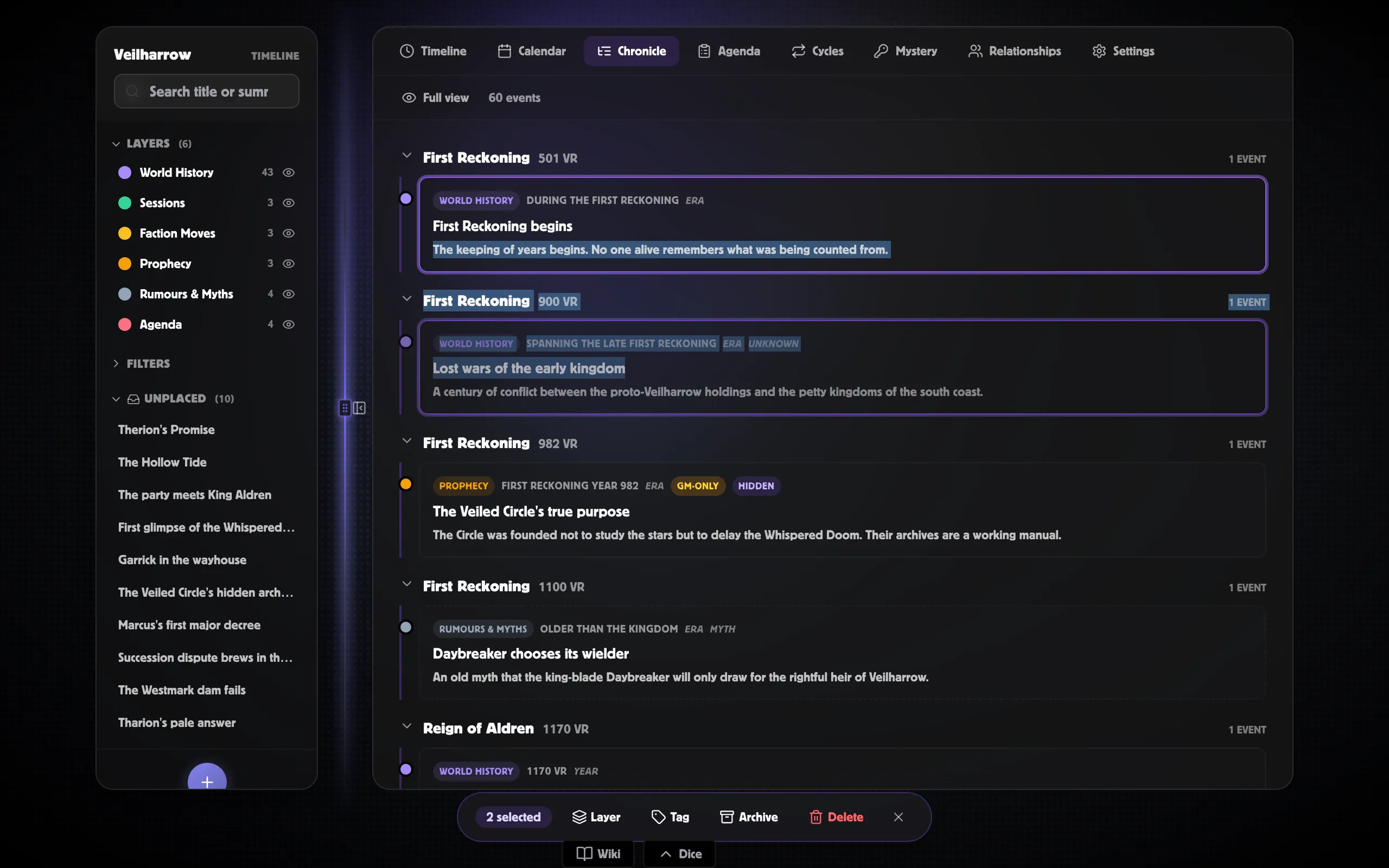
The action bar
Section titled “The action bar”As soon as one or more events are selected, a floating bar appears at the bottom of the workspace with the selection count and four actions:
| Action | What it does |
|---|---|
| Layer | Pop-over with every layer; click one to move every selected event to that layer. |
| Tag | Pop-over with a text field; type a tag name and press Enter (or click Add) to add it to every selected event. Existing tags are deduped — events that already have it don’t get a duplicate. |
| Archive | Archives every selected event. They drop out of every list view (until you re-enable “Show archived” in your filters) but stay in your world. |
| Delete | Deletes every selected event. Confirms with a Yes / Cancel before doing anything. |
A small × button on the right clears the selection without performing any action.
Why it’s safe
Section titled “Why it’s safe”A bulk action runs the same permission checks as editing one event at a time — there’s no shortcut that could let it do something a single edit couldn’t. Events you don’t have permission to change are quietly skipped; the rest go through.
If a co-GM is watching the same world, your bulk edit rolls in live, event by event, over about half a second.
What’s NOT yet bulk-able
Section titled “What’s NOT yet bulk-able”- Reveal in session… — the reveal workflow needs a session picker per call. Use the Inspector’s standalone Reveal flow.
- Visibility — multi-event visibility changes aren’t surfaced. Patch via the inspector or run a SQL update.
- Mystery / Relationships / Calendar / Cycles — bulk-select is Chronicle and Agenda only in v1.