

Rolling 3D dice
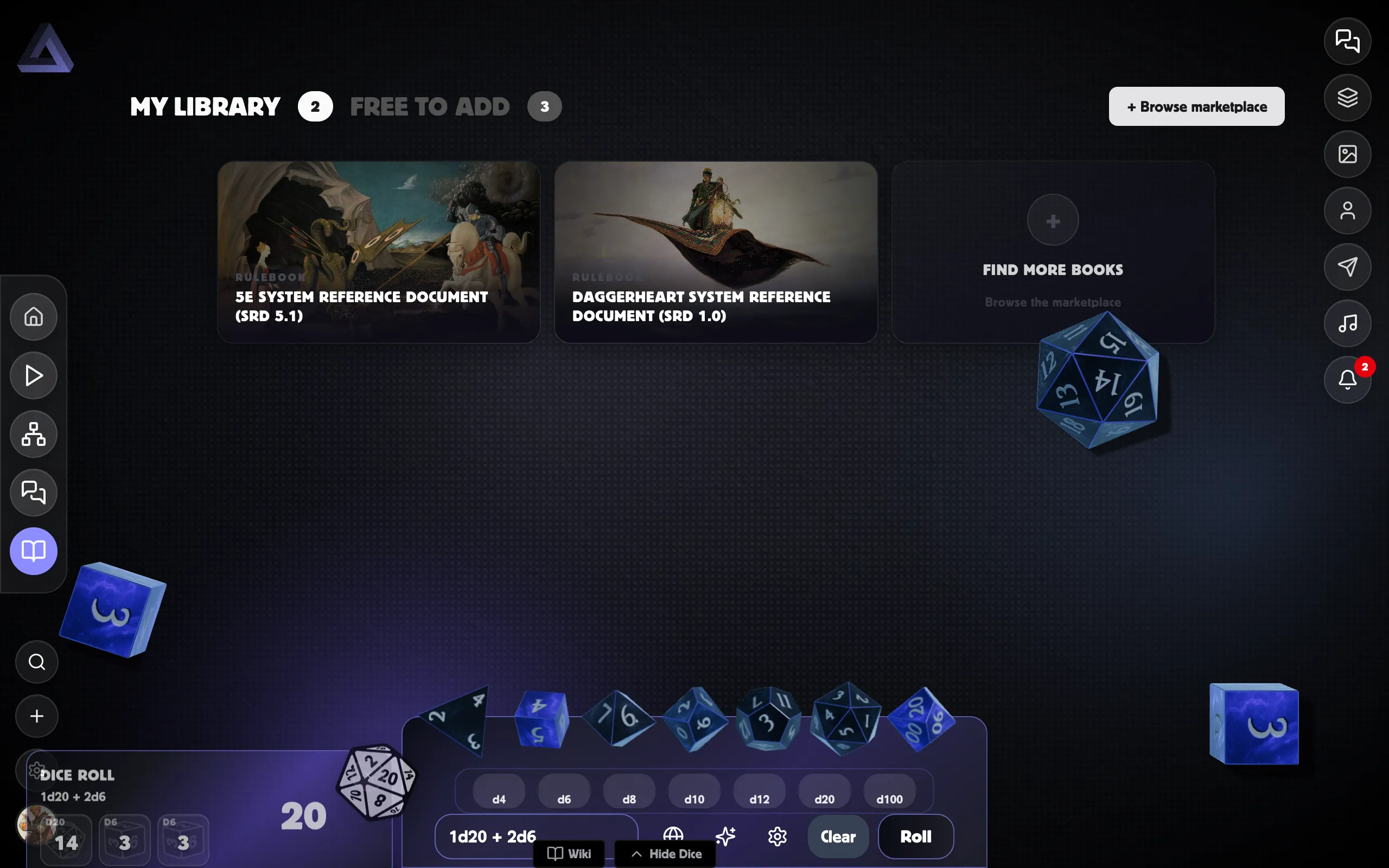
Postroll’s 3D dice roller is real physics: dice that tumble across the screen and settle on a result. It goes with you everywhere — the panel opens on any screen, not just at the table.
Open the dice panel
Section titled “Open the dice panel”Press the Dice button (near the bottom-right of the screen) to slide the dice panel in. Press it again to hide it.
- On a computer, the dice sit in a strip along the bottom, with a notation box and Roll, Clear, and a Settings (gear) button.
- On a phone, the dice stack in a column down the right edge — each shows a little count badge — with Roll, Settings, and Clear beneath them.
Roll some dice
Section titled “Roll some dice”-
Tap a die (d4, d6, d8, d10, d12, d20, d100…) to add it to your roll, or type a notation like
2d6+1into the box. -
Press Roll (or hit Enter in the notation box). The dice drop in, tumble, and the total appears in a result card.
Dice notation
Section titled “Dice notation”Type any of these into the notation box:
| Type this | You get |
|---|---|
d20 or 1d20 |
a single d20 |
2d6+3 |
two d6, plus 3 |
2d8 + 1d6 + 3 |
a mix of dice and a modifier |
2d20{a} |
advantage — roll two d20, keep the highest |
2d20{d} |
disadvantage — roll two d20, keep the lowest |
4d6{r,1} |
reroll any die that lands on a 1 |
4d6>3 |
count how many dice beat 3 (a success tally) |
2d6! |
the same roll, thrown harder — add more ! for extra force |
You can also use + - * / ( ) for the maths, and mix several kinds of dice in
one roll.
Reading your roll
Section titled “Reading your roll”Each throw drops a result card in the corner:
- The total shows big, with every die’s face listed below it.
- Dice that were dropped (the low die on advantage, say) or rerolled show with a line through them, so you can see what didn’t count.
- A d20 that lands on a natural 20 or natural 1 is flagged as a crit or fumble.
- A success roll shows its tally (e.g. 3/5).
- A Hope + Fear roll tells you which came up higher — see Hope & Fear.
The tumbling dice fade away a few seconds after they settle. The result card stays until you dismiss it; when several stack up, a Clear all button appears.
Prefer a corner that tidies itself? Settings → Appearance → Dice results lets you have cards clear on their own after 5, 10, or 30 seconds instead. The countdown pauses while you hover a card, so a roll you’re still reading won’t vanish. That choice is per device.
Dice types & game systems
Section titled “Dice types & game systems”The dice on your toolbar are the ones in your active dice set. Out of the box that’s the standard polyhedral run — d4, d6, d8, d10, d12, d20, d100 — plus special dice you can add to a set:
- Coin — a two-sided
d2that reads Heads (2) or Tails (1). - d6 pip — a d6 with pips instead of numbers.
- Gilded — an ornate numbered die.
- Hope and Fear — the Daggerheart duality d12s.
Postroll also ships whole specialist systems — Daggerheart, Candela Obscura, D-Weird, and the Star Wars narrative and miniatures lines (with their own success / advantage / triumph symbols). Switch systems and add their dice from the Settings panel — see Customising dice.
Who sees your roll
Section titled “Who sees your roll”Next to the die buttons is a small visibility button that sets who your rolls are shared with. Tap it to cycle through three modes:
- Everyone (globe) — the whole table sees the roll. This is the default.
- GM only (shield) — only the GM sees the result. Other players see that you rolled (“made a secret roll”) but not what you got. Great for a sneaky Perception check or a save against something you’re not meant to know.
- Private (lock) — the roll is just for you. It doesn’t post to the game log, doesn’t show on anyone else’s screen, and isn’t tracked in the Dice Lab.
Your choice sticks until you change it, and it applies to every 3D roll you make — from the panel, a card, or a character sheet.
Where your rolls go
Section titled “Where your rolls go”Rolling inside a room on Everyone posts the result to that room’s game log so everyone sees it, and other players’ rolls animate on your screen too. Rolling anywhere else — or on Private — is a throw that stays on your screen only. See Rolling with your table.
Related
Section titled “Related”- Customising dice — colours, textures, saved sets, and the table.
- Hope & Fear — the Daggerheart duality pair.
- Dice rolls in chat — text rolls with
/r.