

Text & label styling
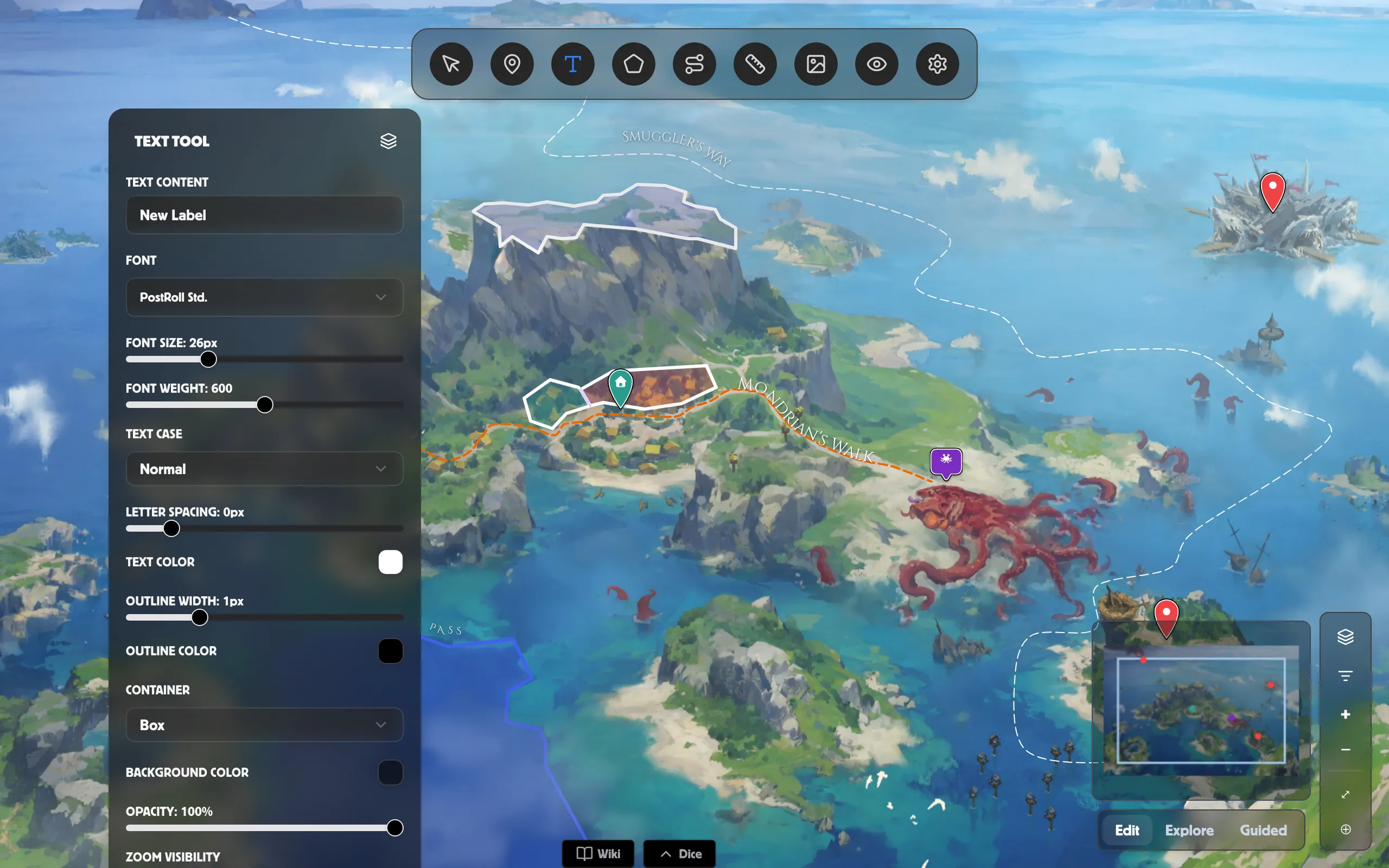
On a World Map scene, the Text tool drops standalone labels anywhere — sea names, region titles, a legend note. The same styling controls also shape the labels on your paths and regions, so everything on the map can share one look.
Place a label
Section titled “Place a label”-
Pick the Text tool from the toolbar to open the Text tool panel.
-
Type your words into Text content.
-
Click the map where you want the label to sit.
Click any placed label to edit it again. To remove one, select it and click Delete Text.
Style any label
Section titled “Style any label”The styling controls below appear in the Text tool panel, and in the Customize label… panel you open from the Path and Region panels — so a place name, a road name, and a kingdom name can all match.
- Font and Font size — pick a typeface and set the size.
- Lock font size to map — when on, the label grows and shrinks with the map as you zoom, staying proportional to it; when off, it keeps the same on-screen size at any zoom. (Path and region labels only.)
- Font weight — from light to heavy.
- Text case — Normal, UPPERCASE, or Small Caps.
- Letter spacing — loosen or tighten the gaps between letters.
- Text color, plus Outline width and Outline color for a readable edge over busy terrain.
- Container — None, Pill, Box, or Banner — with a Background color behind the words.
- Opacity — fade the whole label.
Curved labels
Section titled “Curved labels”On a path, set Text shape to Follow Path; on a region, choose Follow Border. The words then flow along the line instead of sitting in a box. Regions add an Inside / Outside side choice.
Show labels only at some zooms
Section titled “Show labels only at some zooms”Use Zoom visibility (on the Text tool) or Label zoom visibility (for paths and regions) to set the zoom range a label appears in — so a continent name shows when zoomed out, and town names only once you zoom in.
Related
Section titled “Related”- Paths — roads, rivers, and routes with their own labels.
- Regions — kingdoms and territories that use these label styles.
- Pins — mark places with markers instead of text.
- World maps — everything you can add to an overland map.