

Time-bound elements & history
A World Map isn’t frozen in one moment. When your scene belongs to a world with a timeline, the map can shift through the ages — cities appear as they’re founded, roads creep across the land, and borders change colour as one power gives way to the next.
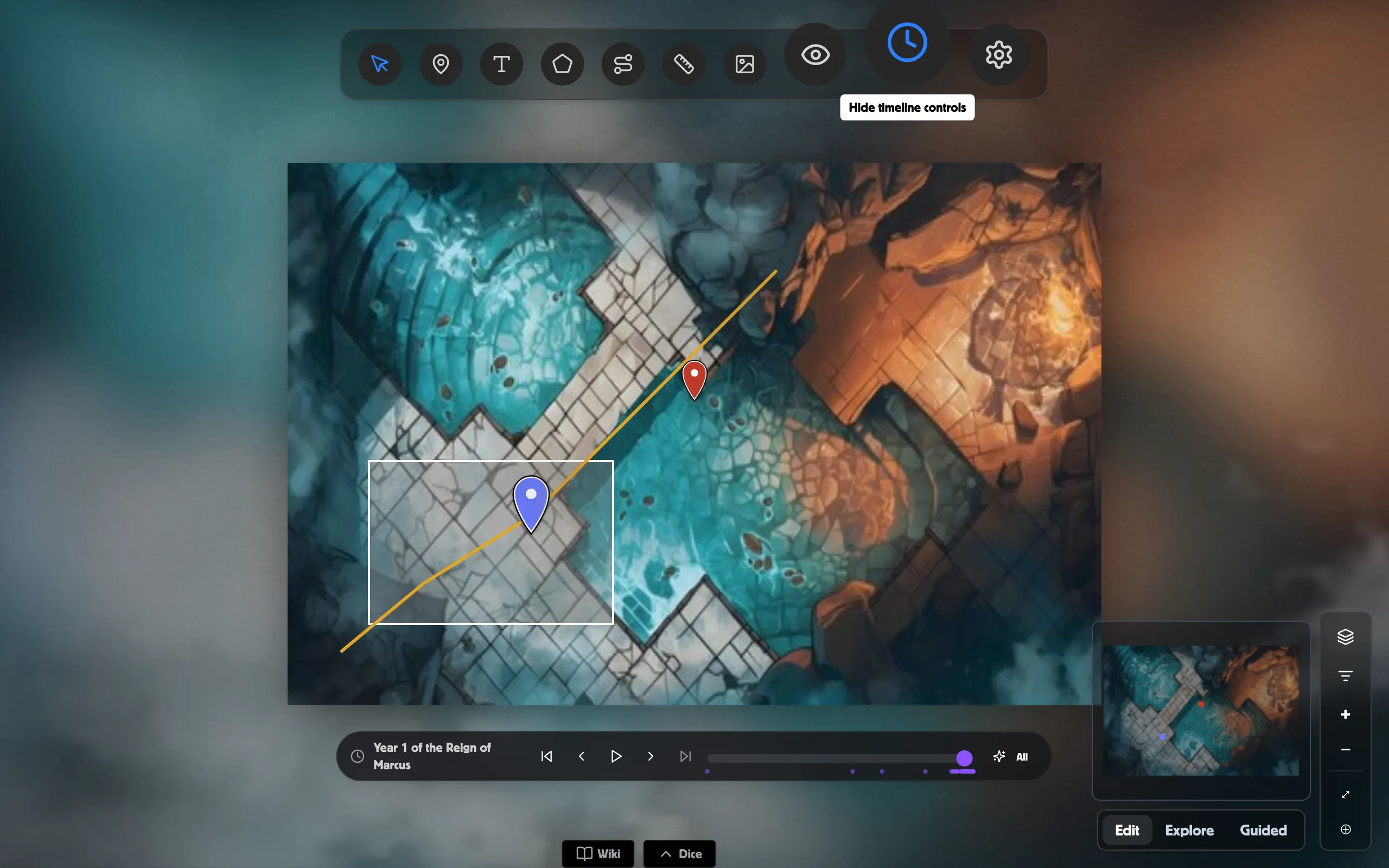
The time slider
Section titled “The time slider”A time slider runs along the bottom of a World Map. Drag it back and forth to move to a point in your world’s history, and features tied to timeline events fade in and out around it. Anything you haven’t linked to an event stays put at every position, so nothing disappears until you choose to tie it to a date.
Link a feature to history
Section titled “Link a feature to history”Pins, paths, and regions each have a Linked timeline events section in their tool panel.
- Click a pin, path, or region to open its panel.
- Find Linked timeline events and click Add timeline event.
- Search for the event (or type a new title to create one on the spot) and choose how it relates.
A path can even reveal itself point-by-point over time, so a journey or a spreading empire draws across the map as you scrub forward.
Map art that changes by era
Section titled “Map art that changes by era”Each basemap version can carry an Active from year, set in Basemap Settings. As the slider crosses that year, the map’s art swaps to match — an old parchment for the early ages, a richer map for later ones.
Region faction history
Section titled “Region faction history”Open a region’s Faction history section and Add faction shift to record who held that land at each turning point. As the slider passes each shift, the region re-tints to the controlling faction’s colour.