

Entity timelines
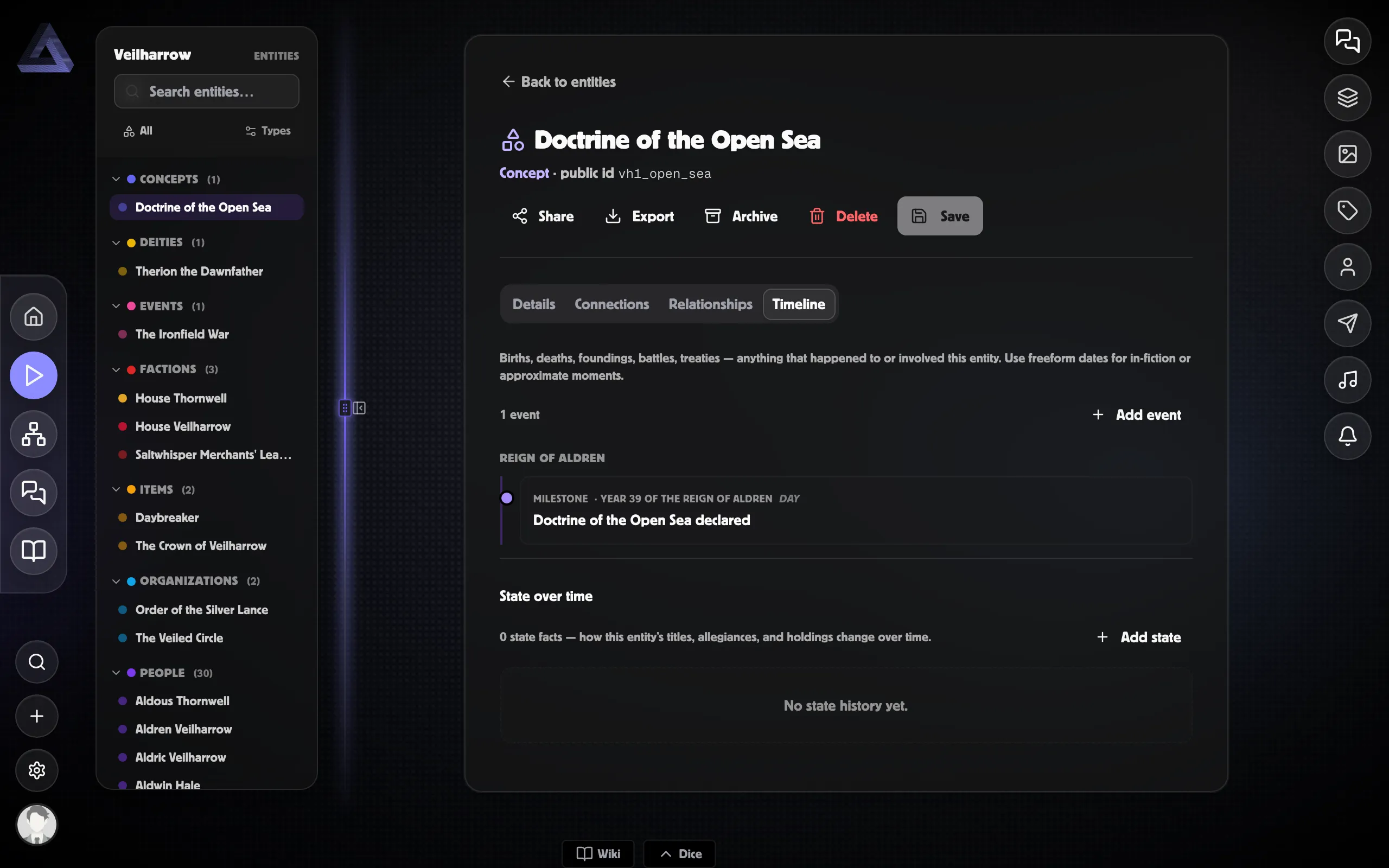
Every entity in PostRoll has a Timeline tab on its detail page —
a per-entity slice of the world’s full timeline showing every event
that involves it. Useful for character biographies, dynasty histories,
faction war records, and anything else you want to see one entity’s
arc without the noise of the rest of the world.
What shows on it
Section titled “What shows on it”An event appears on an entity’s Timeline tab when any of:
- The event is attached directly to the entity (the fast path used when you author it on the entity).
- The event is linked to the entity (any relationship type counts).
This means an event authored as a world-history event but with King Aldren attached as an involved link still shows on Aldren’s tab — even though it was never authored directly on Aldren.
What it looks like
Section titled “What it looks like”Same chrome as the world Chronicle: events grouped by era / year, each card showing date / layer / type / certainty / summary. Hidden and Foreshadowed events follow the same player-safe rules as elsewhere.
Authoring from this tab
Section titled “Authoring from this tab”Click Add event at the top of the tab to open the same event-creation dialog as the world workspace. It pre-fills the current entity, so the event is automatically attached to it.
This means events authored from an entity tab are directly attached to it. Events authored from the world workspace that should also show on an entity’s tab need a link — add one from the Inspector’s Linked targets section after creation.
Public entity pages
Section titled “Public entity pages”Entities marked Public or Unlisted get a public detail page (no login required). The Timeline tab on that public page shows the same events, following the player-safe rules — GM only events are excluded and GM notes are stripped.
When sharing an entity publicly, double-check which events you’ve attached. The page is read-only but it does show every linked event the visibility allows.
Differences vs the world workspace
Section titled “Differences vs the world workspace”- Single layer mixing — the entity Timeline tab doesn’t have layer toggles; all events show.
- No Calendar / Chronicle / Agenda / Mystery / Cycles tabs — just the chronological list.
- Authoring is one-click-attached — events added here are attached to the entity automatically, no manual link required.
- No GM-vs-player toggle — the entity’s own visibility decides what shows (a Public entity shows the player-safe view; an entity shared only within your World shows the GM/editor view).
For richer per-entity analysis, use the workspace’s Relationships tab with the entity as Primary.
Related
Section titled “Related”- The Timeline tab — the world workspace equivalent
- The Relationships tab — multi-entity cross-section
- Linking events — how events link to entities
- Visibility & reveal — public entity pages