

Relationships
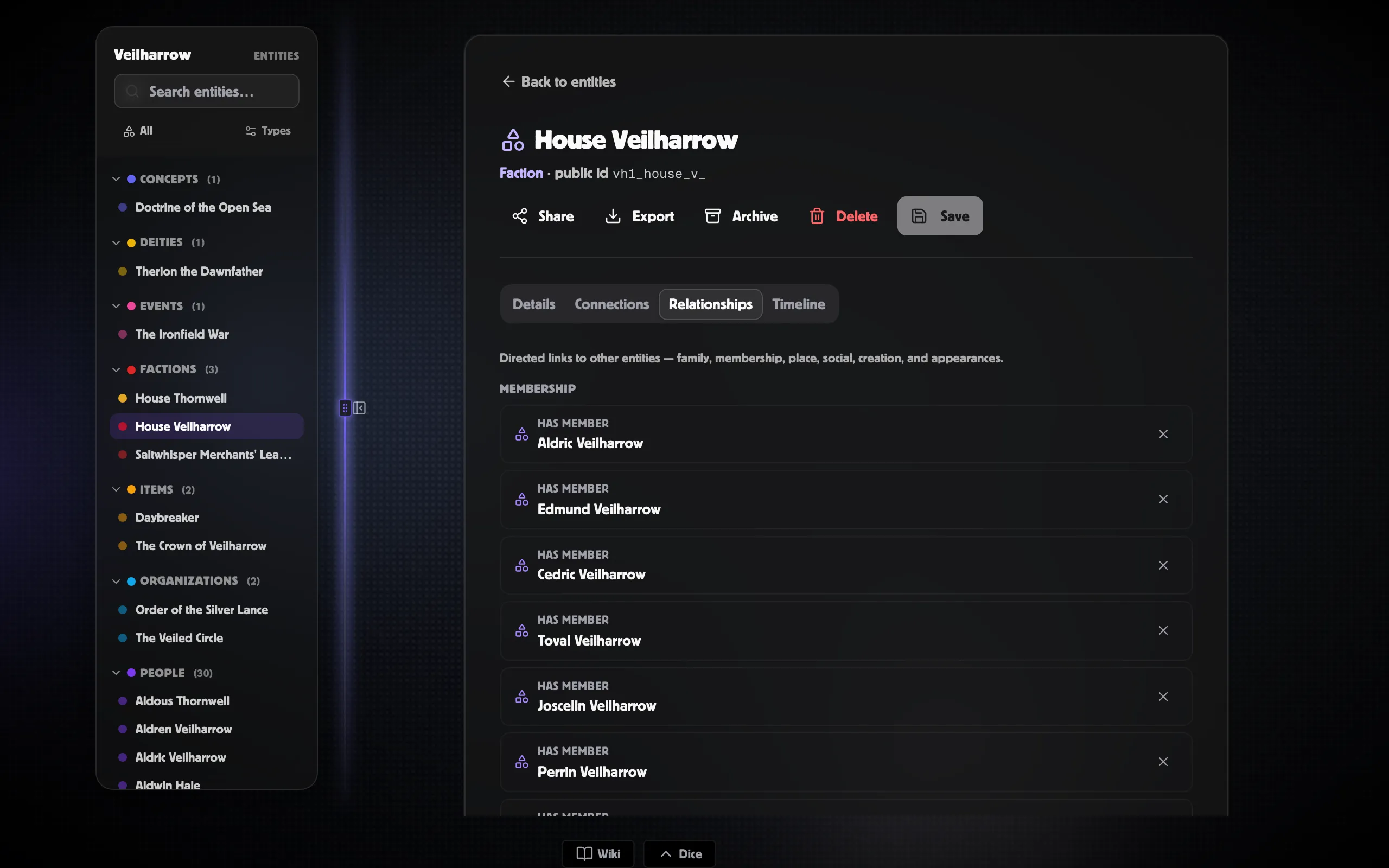
Relationships record how entities are connected in your world. “Aldren parent_of Marcus”, “House Veilharrow allied_with the Merchants’ League”, “Sunspire Tower located_in Highgate”. They appear on each entity’s Relationships tab, drive edges on the world graph, and (when both endpoints have entities) automatically mirror your family-tree boards.
Adding a relationship
Section titled “Adding a relationship”-
Open an entity and switch to the Relationships tab.
-
Click + Add relationship.
-
Pick the relationship type from the dropdown. The list is grouped (Family / Membership / Place / Social / Creation / Appearances) so the right kind is easy to find.
-
Search and pick the target entity.
-
Optionally fill Start and End dates for relationships that change over time.
-
Click Add.
The new edge appears immediately on this entity’s tab AND on the target entity’s tab — relationships are always shown bidirectionally.
Built-in vocabulary
Section titled “Built-in vocabulary”Every world ships with a curated set of relationship types, grouped by purpose:
- Family — parent_of / child_of, sibling_of, spouse_of, partner_of.
- Membership — member_of / has_member, leader_of / led_by.
- Place — located_in / contains, born_in / birthplace_of, died_in / deathplace_of.
- Social — allied_with, rival_of, enemy_of, patron_of / patronised_by.
- Creation / ownership — created_by / creator_of, owns / owned_by.
- Appearances — appears_in / features (for events).
Symmetric types (allies, rivals, siblings) read the same in both directions. Directional types have a distinct inverse — parent_of on one side becomes child_of on the other.
Time-bounded relationships
Section titled “Time-bounded relationships”The Start and End dates are optional but powerful. Use them to record:
- Marriages and partnerships (“married 1198, widowed 1227”).
- Alliances that ended (“Crown allied with the League 1210–1240”).
- Memberships that lapsed.
The same pair can have the same relationship type more than once, as long as the older one has an End date. That makes “married → divorced → re-married” expressible.
Custom relationship types
Section titled “Custom relationship types”If your setting has relationships the built-ins don’t cover — sworn_to, cursed_by, student_of — you can add them per world. See Entity & relationship types.
Family trees stay in sync
Section titled “Family trees stay in sync”When both people on a family-tree connection are linked to entities, that connection automatically appears in the entity Relationships list too. Keep editing the family tree as usual — the world graph stays in step. Parent / child, sibling, and partner connections all mirror across.
Removing a relationship
Section titled “Removing a relationship”Click the X next to a row on the Relationships tab. Both endpoints update — the relationship goes from both sides at once.