

Timeline events
Every entity has a Timeline tab on its detail page that shows the events involving that entity — births, deaths, foundings, battles, treaties, discoveries. The same events show up in the world timeline workspace too; this tab is just a focused per-entity slice.
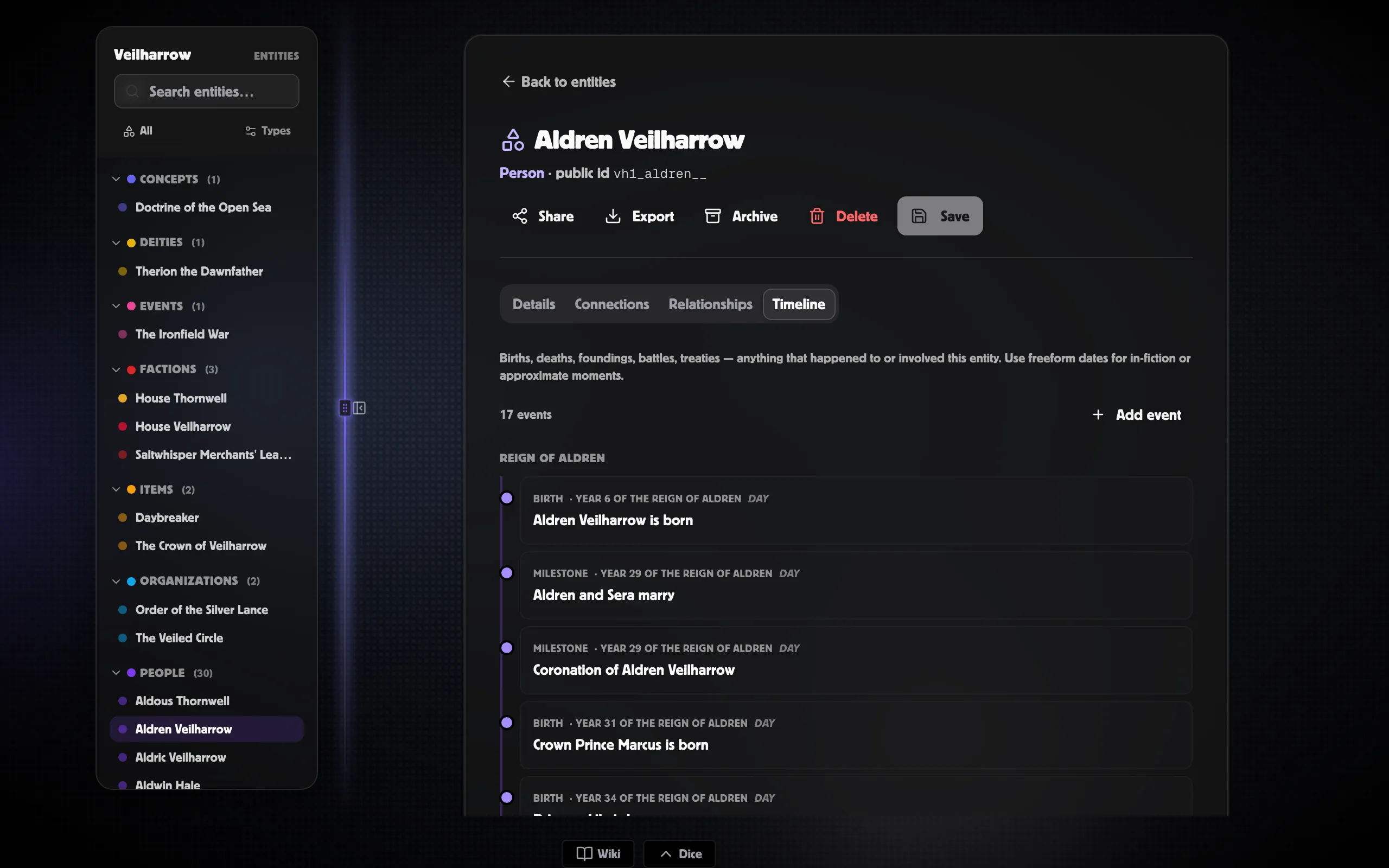
Adding an event
Section titled “Adding an event”-
Open the entity and switch to the Timeline tab.
-
Click + Add event.
-
Fill in the title and a when value. The When field accepts ISO dates, a year plus era abbreviation (
1247 SR), session references (Session 8),soon,?, and freeform text — see Dating events for the full grammar. -
Pick a layer (defaults to World History).
-
Click Create. The event lands on the entity’s tab and on every world-timeline view it qualifies for.
The event is automatically attached to this entity; you don’t need to set up the link manually.
What shows on this tab
Section titled “What shows on this tab”Events appear when either of:
- The event is attached directly to this entity (the fast path, set when you author it here).
- The event is linked to this entity (any relationship type).
This means an event you authored from the world workspace and attached as involved to this entity will show on this tab too.
Public-entity timeline
Section titled “Public-entity timeline”Entities marked Public or Unlisted get a public page (no login required). The Timeline tab on that public page follows the player-safe rules — GM only events are excluded, GM notes are stripped, and the Player summary is shown in place of the full write-up where appropriate.
When you make an entity public, double-check which events you’ve attached. The public page is read-only but does show every linked event the visibility allows.
Beyond the per-entity tab
Section titled “Beyond the per-entity tab”For the rest of the system — the world timeline workspace with its eight tabs, calendars and cycles, sessions and recaps, the Chronicle and Agenda views, mysteries, the markdown export — head to the dedicated Timelines section:
- Timelines overview — the eight workspace tabs.
- Your first event — quickstart.
- Dating events — every precision mode.
- Visibility & reveal — GM-only events, player-safe summaries, the reveal-in-session workflow.
- Calendars overview — Harptos, Exandria, Four Seasons, regnal years.
- Cycles overview — moons, tides, seasons, festivals.
Editing or removing an event
Section titled “Editing or removing an event”Click any event row to open the Inspector in the right rail. Every field is editable there: title / type / layer / visibility / reveal status / certainty / importance / summary / body / GM notes / tags, plus the cause/effect chain and alternate-calendar chips.
The trash icon at the bottom of the inspector deletes the event.
Related
Section titled “Related”- Timelines overview — the full system
- Entity timelines — this page’s twin in the Timelines section
- Creating & editing entities
- Sharing & exporting