

Roll history & analytics
The Dice Lab measures your rolls so you don’t have to argue from vibes. Here’s what each number means.
The luck gauge
Section titled “The luck gauge”The big dial on the Overview tab is your Luck index — how far your rolls have landed above or below what the dice should average. 0.00 is exactly average; positive is lucky, negative is cold. The gauge sums it up with a verdict: Blessed, Hot, Even, Cold, or Cursed.
Only the dice themselves count — modifiers are ignored, so a +8 to hit doesn’t make you “lucky”. The small ⓘ next to the gauge explains this in the app.
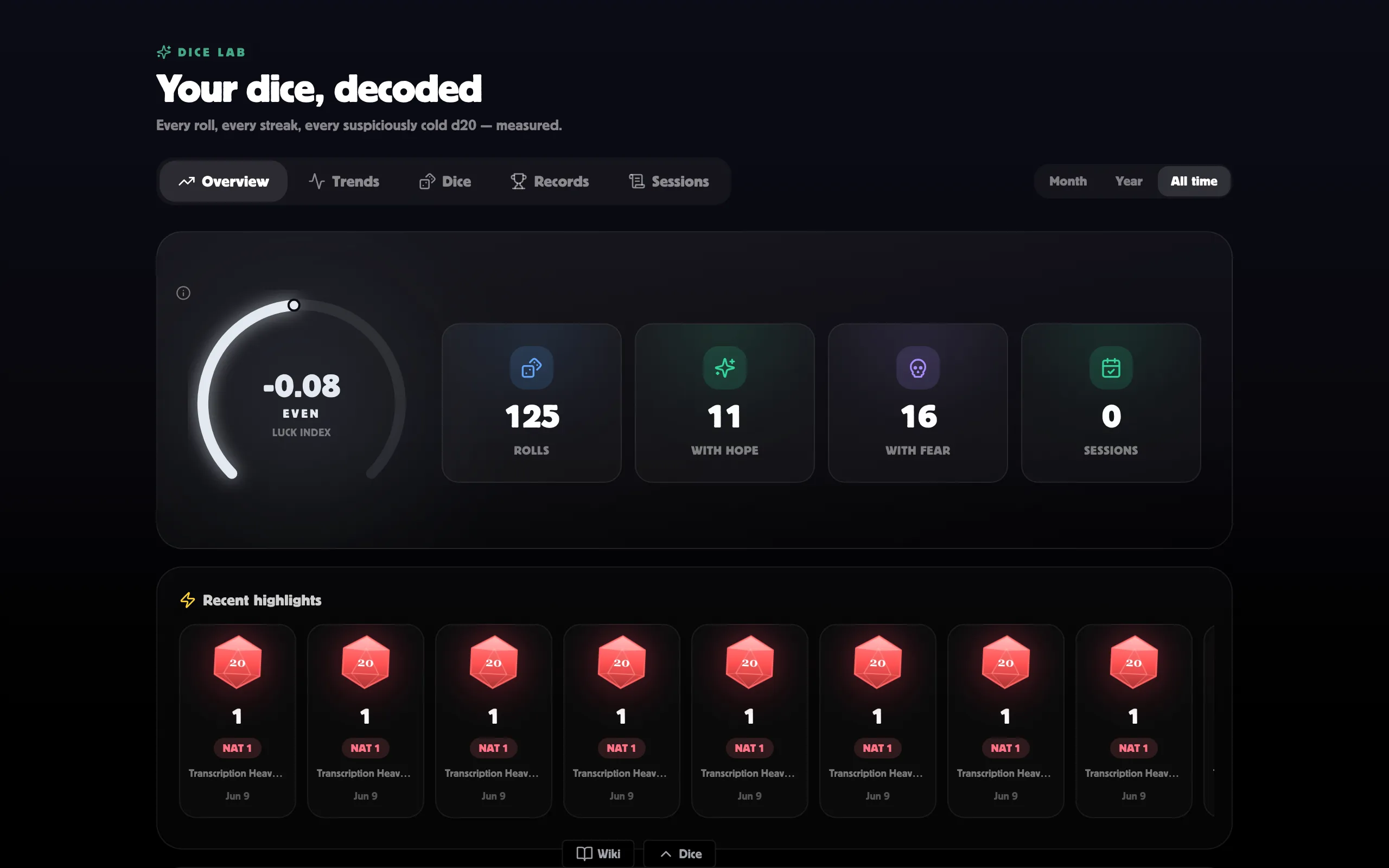
Around the gauge sit your headline numbers: total rolls, nat 20s, nat 1s, and sessions played. Duality (Daggerheart) games show rolls with hope and with fear instead of the nat counts.
Use the Month / Year / All time filter to change the window everything is measured over.
Trends
Section titled “Trends”The Trends tab shows your habit and your fortune over time:
- Roll activity — a calendar grid of the last 13 weeks; darker squares mean busier days.
- Over time — charts of rolls per day or week, plus your luck index across the same stretch. Flip between Day and Week buckets.
Your dice, one by one
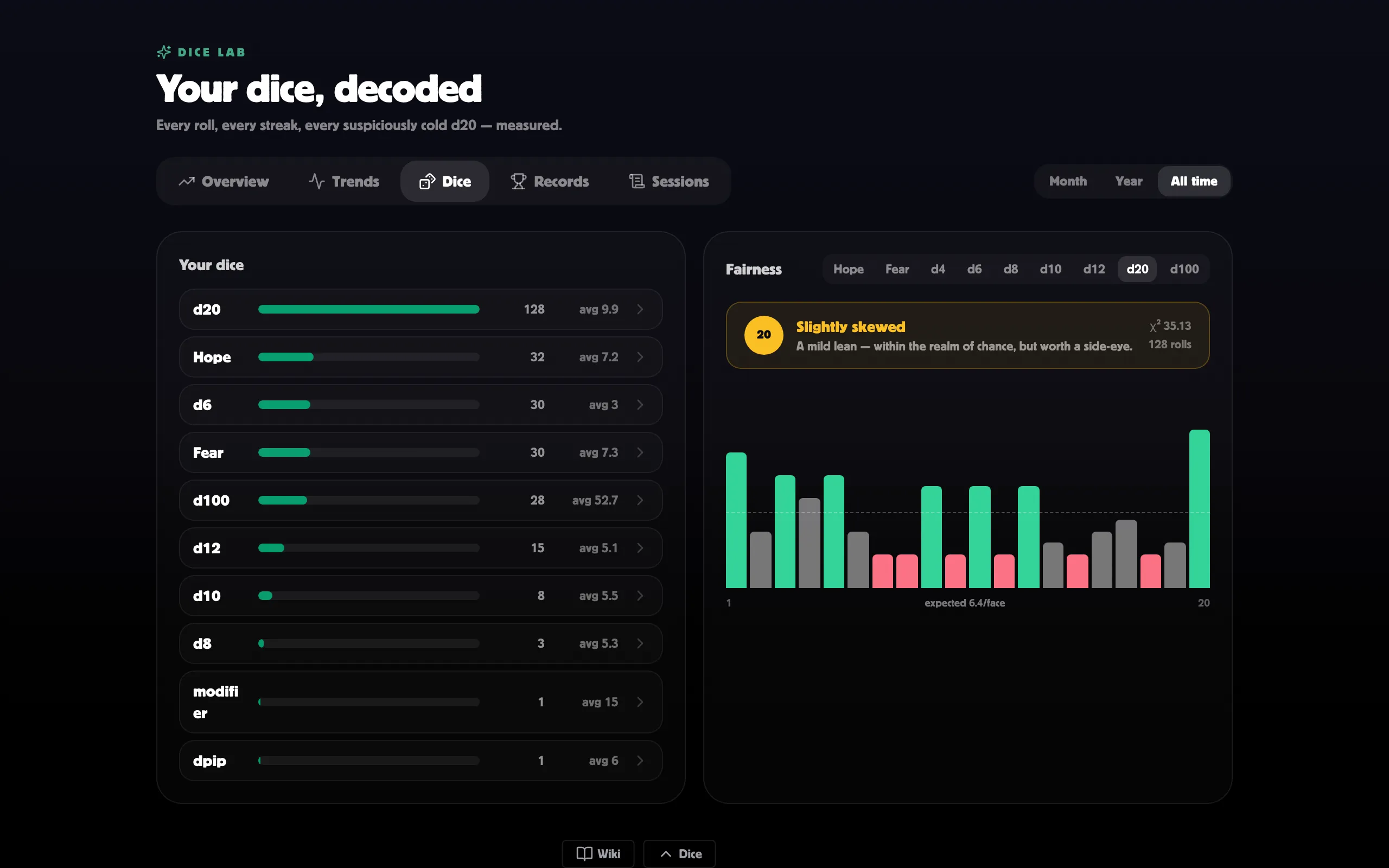
Section titled “Your dice, one by one”The Dice tab lists every die you’ve rolled — count and average for each. Click a die to open its deep dive: total rolls, average, biggest result, how often each face has come up, a weekly trend, and the biggest rolls it featured in.
Are your dice fair?
Section titled “Are your dice fair?”Next to the breakdown, the Fairness panel checks whether a die’s faces are landing about as evenly as chance says they should. Pick a die and you get a verdict:
- Statistically fair — behaving exactly as the math demands.
- Slightly skewed — a mild lean, still within the realm of chance.
- Suspiciously cursed — faces landing far from even.
- Not enough rolls — keep rolling before judging.
The bar chart below shows each face against the dashed “expected” line, so you can spot exactly which numbers run hot or cold.
Replay a session
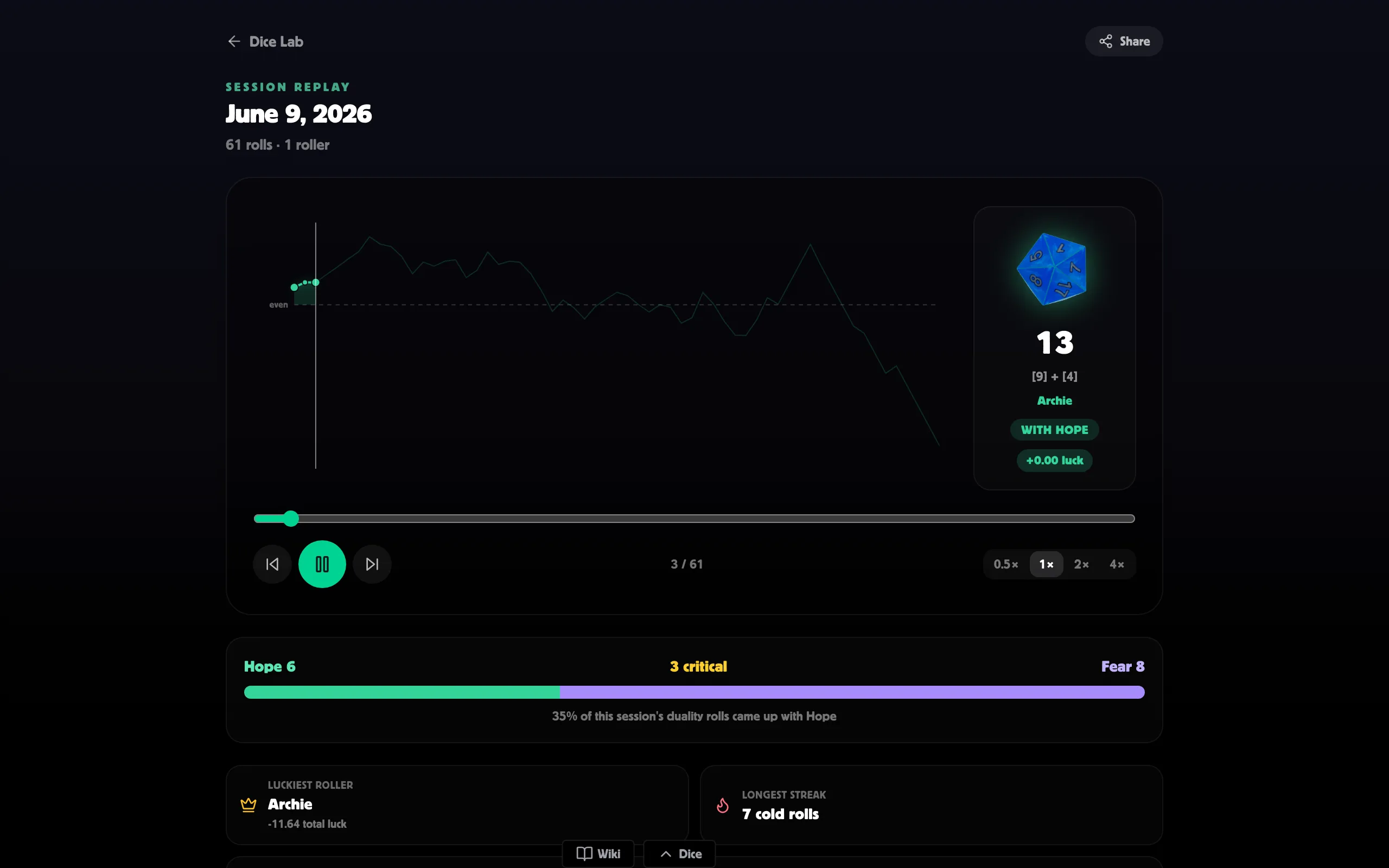
Section titled “Replay a session”The Sessions tab lists every logged session across your rooms (filter with the room dropdown). Click one to open the Session replay: the session’s rolls play back in order, each roller’s luck charted as it happened, with controls to scrub and change speed and an Everyone ⇄ Just me toggle. A recap calls out the luckiest roller, longest streak, and biggest total. Share copies a link your tablemates can open.
Related
Section titled “Related”- The Dice Lab — tour of every tab.
- Leaderboards & records — standings, highlights, and badges.
- Rolling 3D dice — where the rolls come from.