

Editing a town
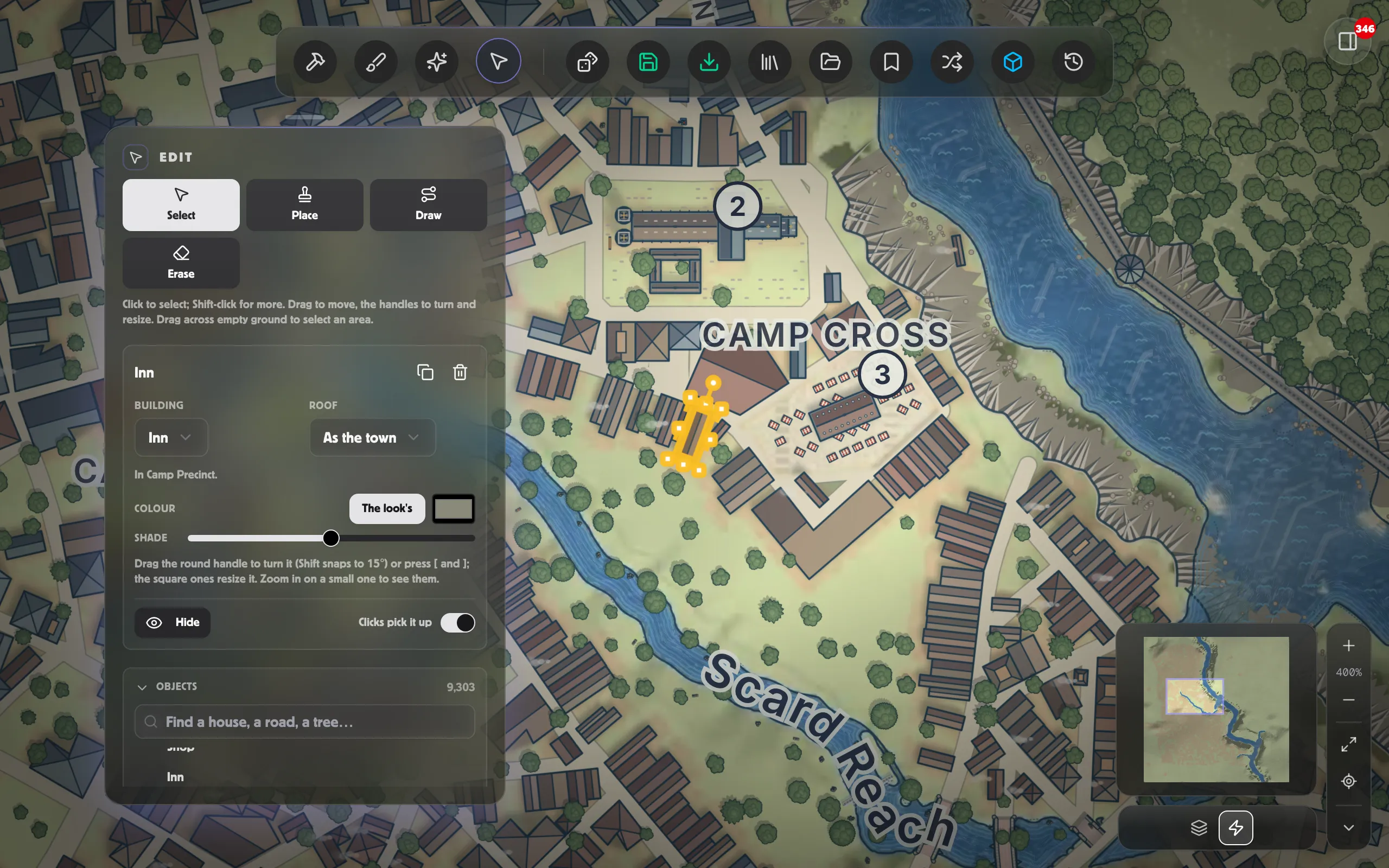
The Edit tool works on a town the way it works on a village. Choose it in the dock, then:
- Select a house, a tree, a stamp, a street, a gate, the market square or a field. Drag it to move it, and use its handles to turn and resize it. Shift-click to pick up more than one, or drag across empty ground to select an area. Delete removes what’s selected.
- Place sets things down: trees, market stalls, carts, barrels, boats, flags, buildings and more, one at a time or sprayed with a brush.
- Walls draws a wall or a building; Lines a street, a hedge or a stream; Areas an area such as a field. A street you draw is laid into the town, with its blocks built either side; see Streets, walls and the square.
- Erase takes away what the brush passes over: what you set down, and what you drew.
Undo and Redo in the toolbar (⌘Z and ⇧⌘Z; on Windows, Ctrl+Z and Ctrl+Y) step through your edits, the town’s streets and gates included. To clear them all, open the ⋯ at the foot of the panel, choose Reset all edits…, then Reset all. The Objects list finds anything by name or kind, and can hide, lock or group it; see Organising a busy map.
Houses, trees and stamps
Section titled “Houses, trees and stamps”Your edits to houses, trees and stamps are drawn onto the town as it’s laid out, so making one doesn’t lay the town out again. If you later change a setting that does (the size, the character, the street plan), the town is laid out afresh. Edits to houses or trees that are no longer there are skipped; what you set down stays where you put it.
Select a building and the panel says which quarter it stands in and, if it is part of one, which landmark: a cathedral’s nave, a castle’s keep. Rename the landmark there and the town is laid out again with its new name. A house’s roof and its colour can be changed. Moving a house round a courtyard takes its courtyard with it.
Bridges
Section titled “Bridges”Click a bridge to select it. Change its kind (stone arches, a humpback, a timber trestle and more) and its state: whole, damaged or ruined. In a scene says whether a battle map made with Raised floors makes its deck a level 10 ft up: as its kind has it (stone is raised), raised, or on the ground. Delete it and its street stops at each bank. A town’s bridge stands where its street crosses the water, so it doesn’t move: re-route the street instead.
A town drawn in ink
Section titled “A town drawn in ink”A town in ink can be edited too. Its line work is drawn from the houses, trees and bridges as you’ve edited them. Stamps, such as stalls, carts and boats, aren’t part of an ink plan, so they don’t show in it.