

World Map scenes
A World Map scene is an overland map of your world — kingdoms, coastlines, trade routes, and points of interest — rather than a tactical battle grid. You build it up by hand with pins, paths, regions, and labels over a base image, and share the finished map with your table.
To start one, create a scene and pick the World Map type — see Creating a scene. No base image yet? The Map Foundry can generate one for you.
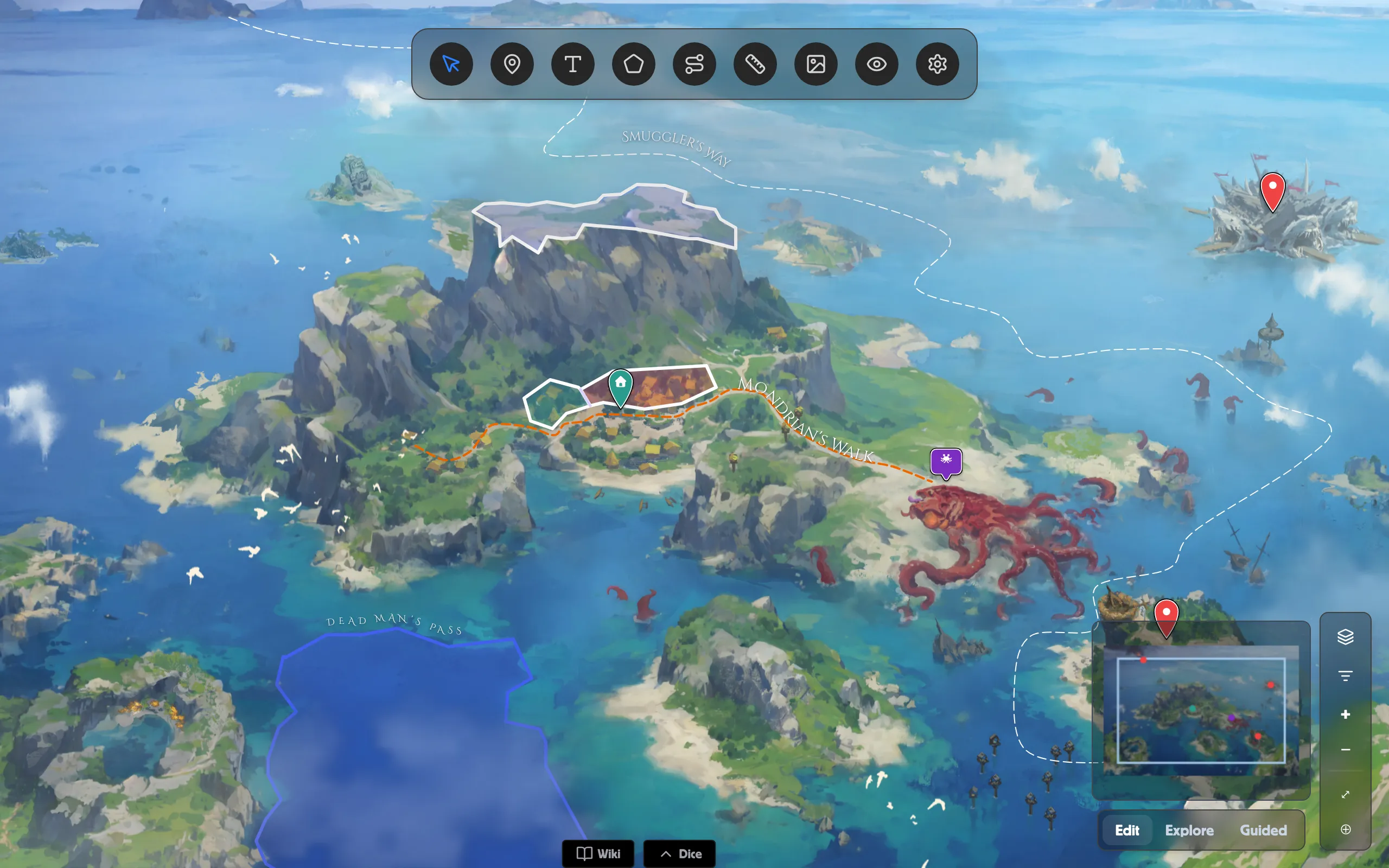
The toolbar
Section titled “The toolbar”Tools live in the dock at the top of the map. Pick one to start working; each opens its own panel:
- Select — move and edit what’s already on the map.
- Pin Tool — drop markers for cities and places.
- Text Tool — add standalone labels.
- Region Tool — paint kingdoms and territories.
- Path Tool — draw roads, rivers, and routes.
- Measure — measure distances across the map.
- Image Tool — place image overlays.
- Mask Tool — hide unexplored land with masks.
- Settings — the map’s basemaps and versions.
Every world-map guide
Section titled “Every world-map guide”Editing, exploring, and running it live
Section titled “Editing, exploring, and running it live”The Edit / Explore / Guided switch in the bottom-right corner sets what the map is for: Edit while you build, Explore to browse freely, and Guided to walk your table through it. What each mode does in a live session — pings, reveals, and follow-the-GM — is covered in World Map in a Room.
Related
Section titled “Related”- Creating a scene — start a World Map scene.
- Generate a map with the Map Foundry — make a base image.
- World Map in a Room — share it live with players.
- Scenes & battle maps — how scenes fit together.