

Quarters
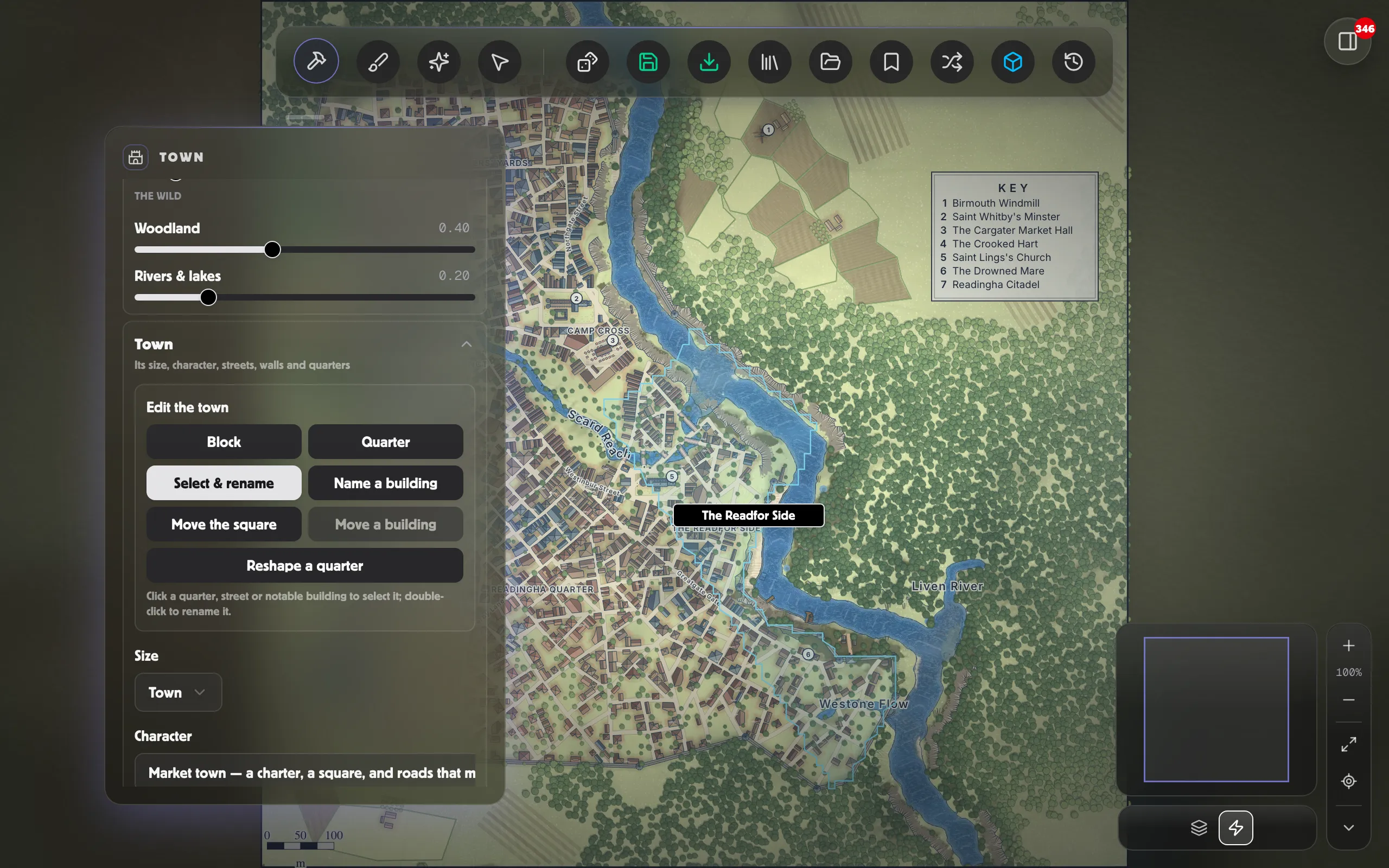
A town is laid out in quarters, and each keeps its own grain: narrow shops in the market, courtyard houses where the wealthy live, long warehouses by the docks, workshops and their yards in the craft quarter. Which quarters a town has follows its Character, and each has a name.
Painting your own quarters
Section titled “Painting your own quarters”You don’t have to accept the generated quarters. In the Paint tool, the Districts brushes (Houses, Craft, Market, Noble, Docks, Temple, Farmland, Green, Wall, Square) let you place districts by hand, and the town builds into whatever you paint. Paint a Wall round the ground you want walled and it becomes the town’s edge: the wall runs along it, with its gates where the roads come in.
Renaming quarters, streets and buildings
Section titled “Renaming quarters, streets and buildings”Under Edit the town in the Town section, turn on Select & rename, then click a quarter, a named street or a notable building on the map to select it, and double-click to type a new name. The name is yours from then on: it survives laying out other parts of the town, and it comes across when you save the map to a scene.
Only the named streets are selectable. A town has well over a hundred lanes and most are never captioned, so the map offers the ones worth naming.
The town tools take turns. Turning one on turns the others off, so a click on the map only ever does the one thing you asked for, and turning the active one off hands the map back to panning and zooming.
Laying out one block or one quarter again
Section titled “Laying out one block or one quarter again”You will often like a town except for one bit of it. A new seed gives a different town entirely, so instead use Reroll to ask for a different answer in just that spot. Pick a scope, then click the map:
- Block lays out one block again: its plots, its buildings, and any trees standing where the new buildings go.
- Quarter lays out a whole quarter again and gives it a new name.
Everything else stays exactly as it was. Click the same spot again for a third arrangement, not the first one back; Undo steps back through the versions you saw. Clicking where there’s no block (open ground, the market square, water) does nothing.
Rerolls are saved with the map, so reopening it from My Maps brings back the town you settled on.